
Notion offline mode auto-downloads up to 1,000 recent and favorite pages
TL;DR
On October 30, 2026 Notion said offline mode auto-downloads up to 1,000 recent and favorite pages on paid plans. Help says Plus, Business, and Enterprise automatically download recently visited and favorited pages in the desktop and mobile apps, and that page does not state the 1,000 figure. Turn it off under Settings, then Offline.
- Status
- Live
- Released
- Plans
- Plus, Business, Enterprise
- Source
- @NotionHQ on X
What changed
On October 30, 2026 Notion said offline mode now auto-downloads up to 1,000 recent and favorite pages on paid plans. That number is in the post. As of October 31, 2026, Notion's release notes still end at October 19, and the offline Help page does not state a 1,000-page cap.
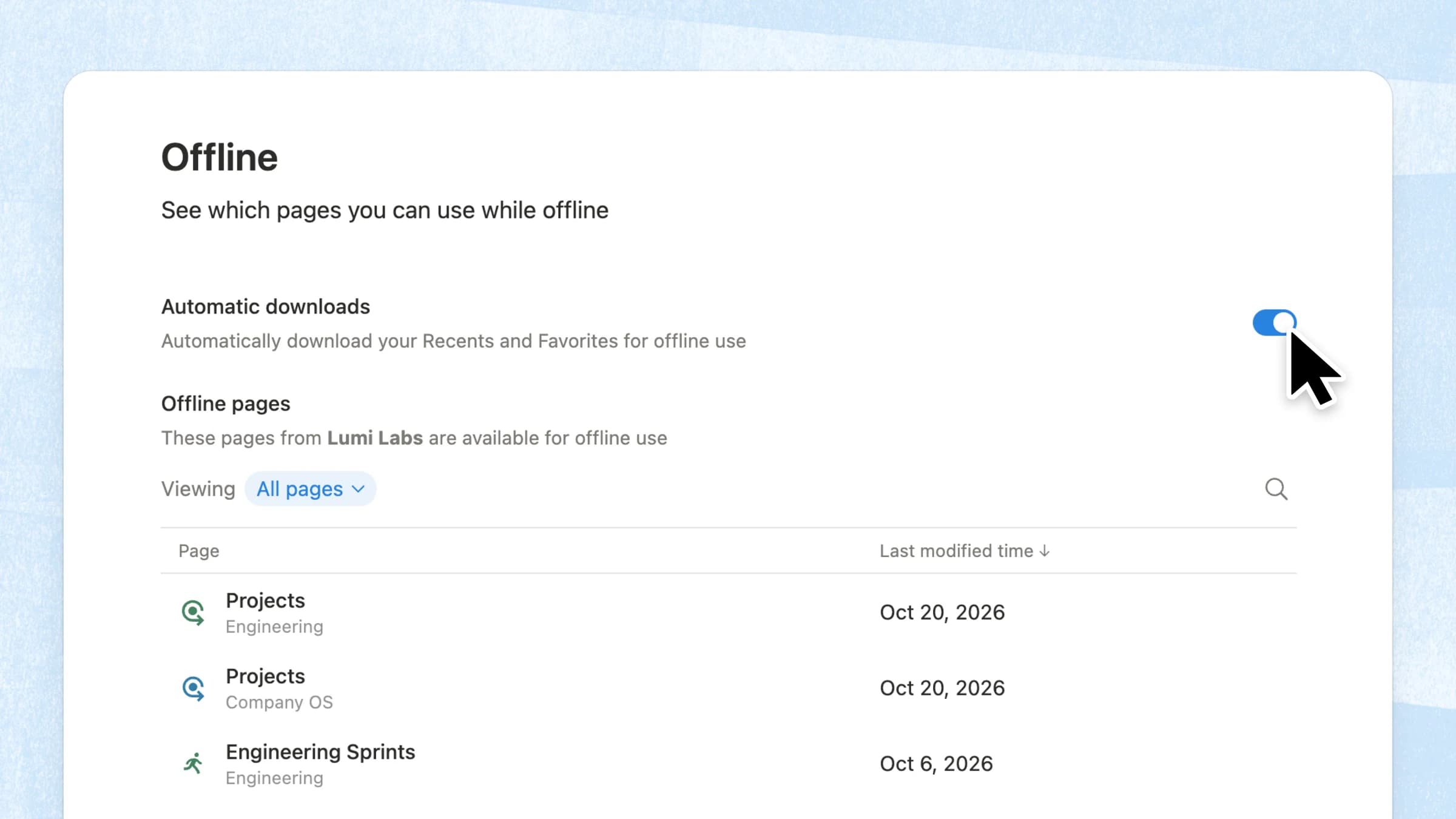
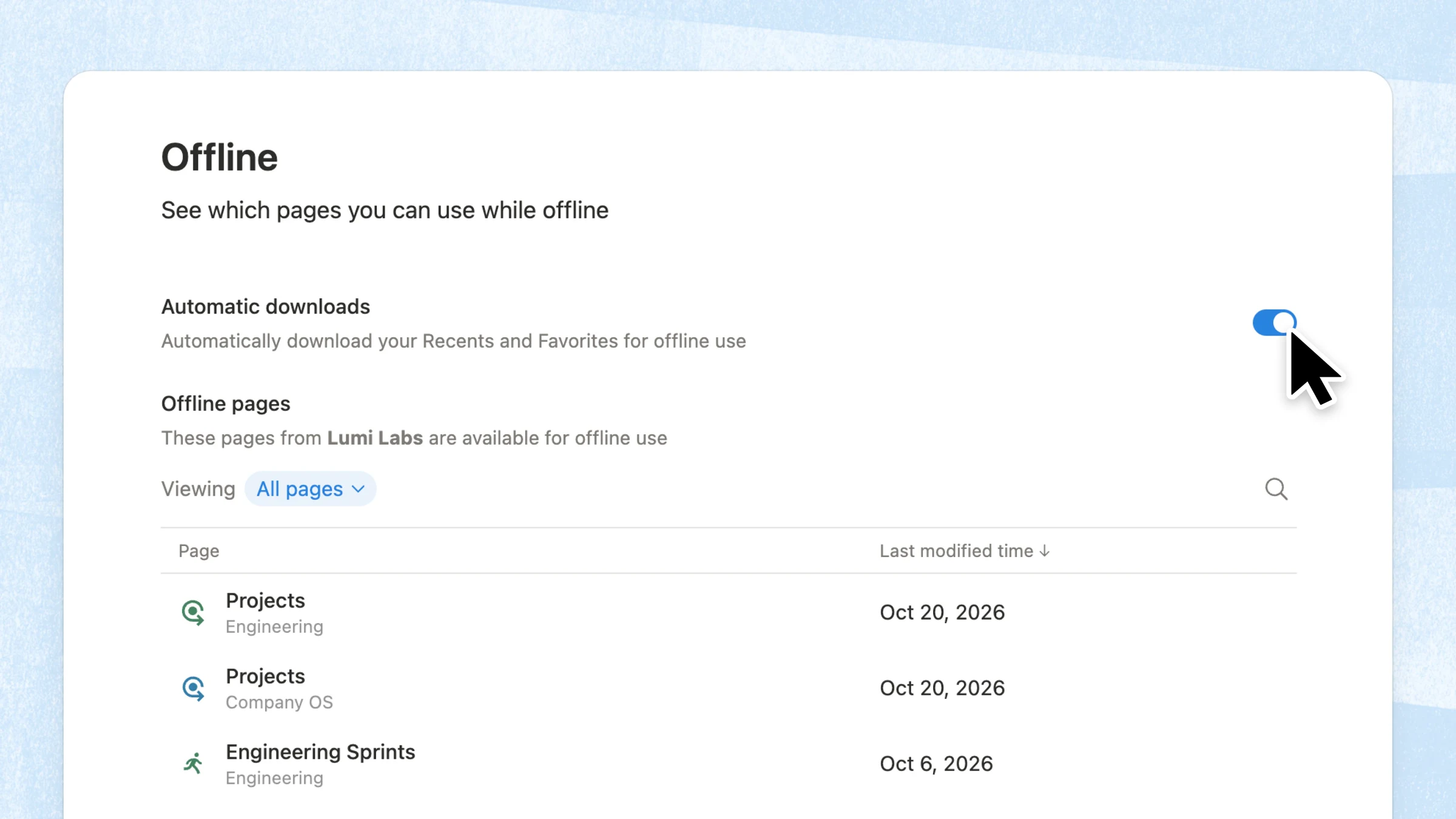
The Help page does confirm the behavior around that number. On Plus, Business, and Enterprise, Notion automatically downloads recently visited and favorited pages for offline use. The August 19, 2025 release introduced offline mode and said Recents and Favorites are auto-downloaded on those plans, without a count. The October 30 image is the Offline screen with Automatic downloads switched on, and the line "Automatically download your Recents and Favorites for offline use." Help says that screen is at Settings → Offline.
Offline use is in the desktop and mobile apps. Help says it is not available in a web browser. Anyone on any plan can still download a single page: open it, choose the ••• menu, and turn on Available offline.
Help also limits what a download includes. Subpages of a downloaded page are not downloaded automatically. A downloaded database, or a page that contains one, includes the first 50 rows of the first view.
Why it matters
Recent and favorite pages are the ones you are most likely to open when the connection drops. Automatic download means you do not have to toggle each one first, up to the 1,000 pages Notion named on October 30.
If that set is larger than you want on a device, Help says to open Settings → Offline and turn off Automatic downloads. Pages you still need can be downloaded one by one. The August 2025 walkthrough covers the original launch. It does not include the 1,000-page figure from the October 30 post.
Frequently asked questions
How many pages does Notion auto-download for offline use?
On October 30, 2026 Notion said offline mode auto-downloads up to 1,000 recent and favorite pages on paid plans. The Help Center confirms automatic download of recently visited and favorited pages on Plus, Business, and Enterprise. That Help page does not state the 1,000 figure.
Which Notion plans include automatic offline downloads?
Plus, Business, and Enterprise. That is what the offline Help page and the August 19, 2025 release notes say. The October 30 post calls them paid plans. People on any plan can download individual pages in the desktop or mobile app.
Can I turn off automatic offline downloads in Notion?
Yes. Go to Settings → Offline and turn off Automatic downloads. Help says that stops automatic download of recently visited and favorited pages. You can still download pages one by one.
Does Notion offline mode work in the browser?
No. Help says offline pages are for the desktop and mobile apps, not web browsers.