Important Updates to Notion Workers: What You Need to Know About Billing

Dave de Cespedes
July 30, 2026
6 min read
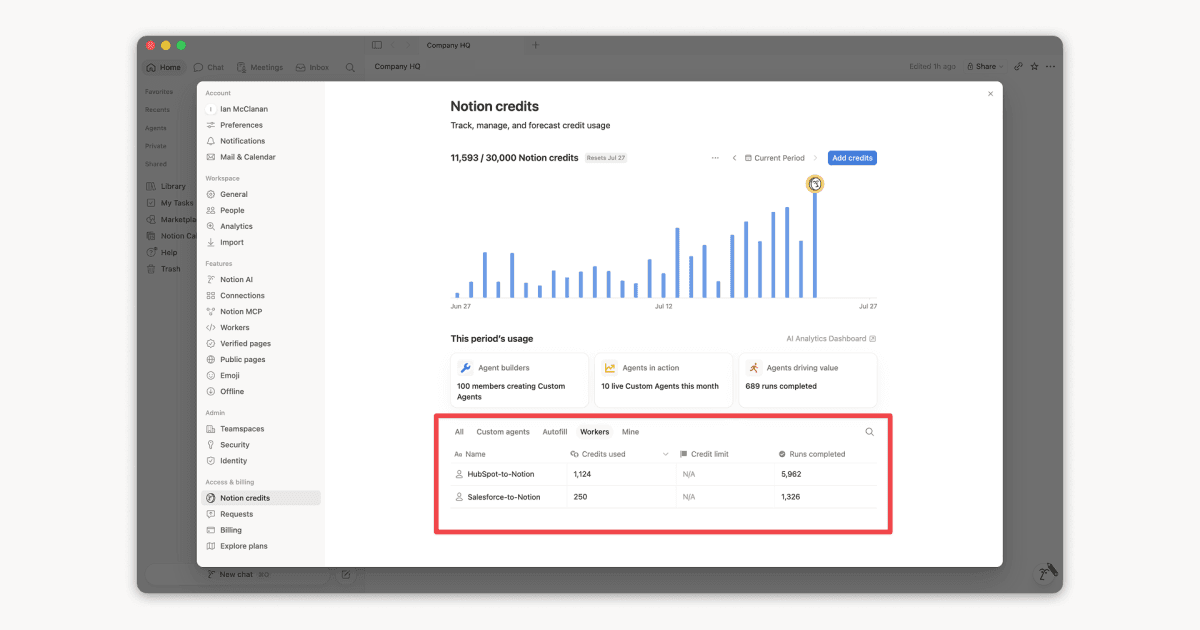
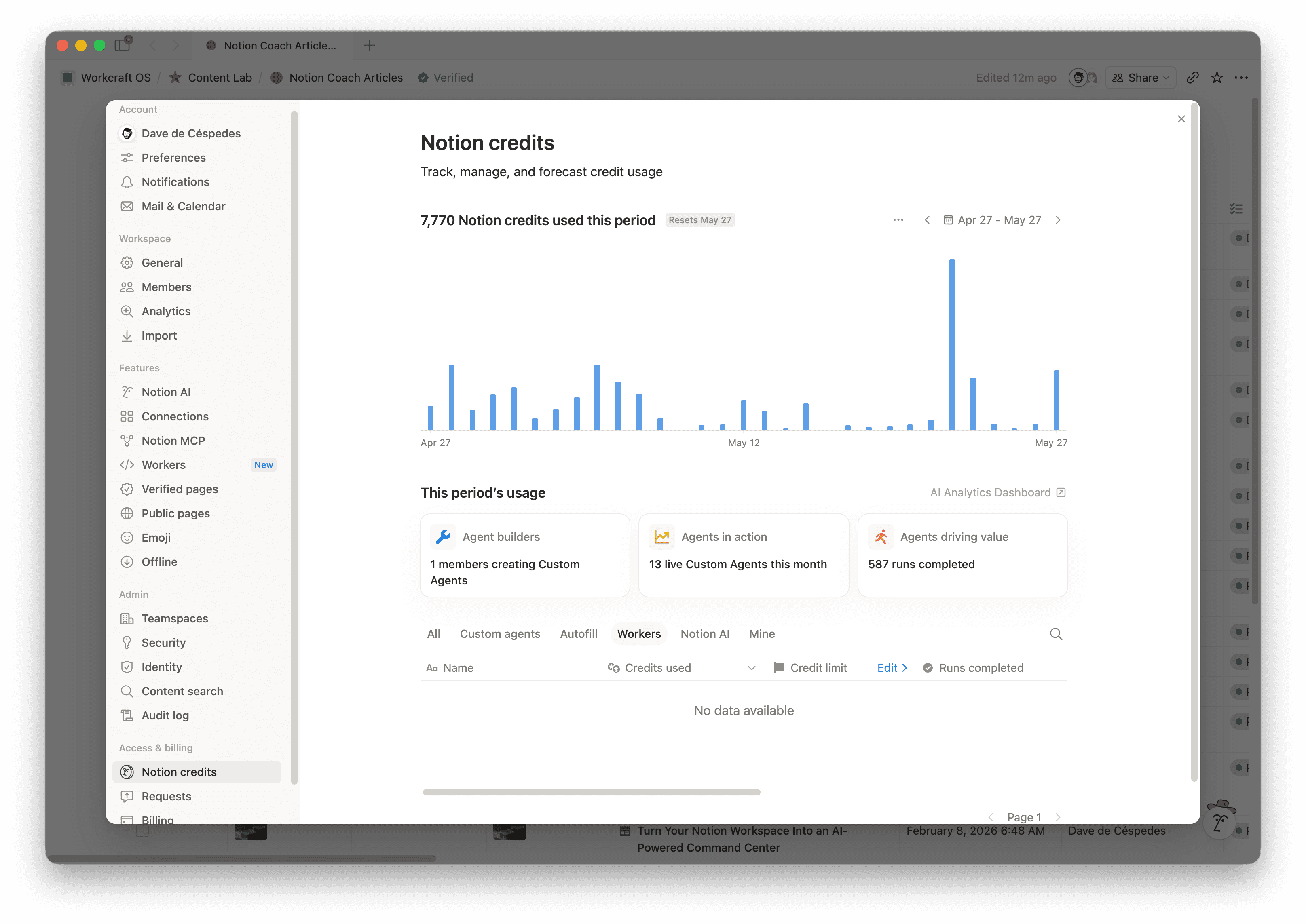
Notion Worker pricing moves from free beta to paid Notion credits on October 15, 2026. The credits dashboard now gives workspace admins and Worker creators a place to see how many credits each Worker uses, along with completed runs, status, and creator.
Use the beta period to watch one live Worker under normal conditions. A week of events, tool calls, failures, and retries gives you enough information to estimate monthly usage before the Worker starts drawing from the workspace credit balance.
How Notion Worker pricing works
Workers run predictable code on Notion’s infrastructure. A Worker might sync data from another tool, respond to a webhook, or give a Custom Agent a specific action it can call.
Notion measures this work in runs. Every scheduled sync creates one run when the schedule fires. A webhook adds a run for each event the Worker handles. Custom Agents create a separate Worker run for every tool call.
Notion says one Worker run typically costs $0.0023. That rate works out to about 4,348 runs for 1,000 monthly Notion credits, which cost $10. Runtime and processing can change the final amount.
During beta, Workers carry a Free badge and their usage stays outside the workspace credit balance. The dashboard lists Worker spend separately from the main usage chart by default. Its Spend limits column shows N/A until Notion adds credit limits for Workers.
Estimate Notion Worker costs from real usage
Notion’s pricing guide shows how volume changes the monthly total:
- A daily sync costs an estimated $0.07 per month.
- An hourly sync costs an estimated $1.66 per month.
- A sync that runs every 15 minutes costs an estimated $6.62 per month.
- A Custom Agent that makes four Worker tool calls across 50 daily agent runs produces 6,000 Worker runs per month, which costs an estimated $13.80.
- A webhook that handles 300 daily events produces 9,000 monthly runs, which costs an estimated $20.70.
Treat those figures as inputs for your first budget. The dashboard captures the schedule, event traffic, and execution pattern of the Worker your team built.
Early observations from X add two small field samples. Notion Ambassador Toumaro reported roughly 0.2 credits per execution. Hiroki Kondo reported five credits across 27 runs. Each figure describes one setup at one point in time.
Build a Notion Worker cost baseline
Choose one Worker that supports a recurring process. After a week of normal traffic, record:
- Completed runs during the sample period.
- Trigger type and frequency.
- Worker tool calls created by each agent run.
- Failed runs, including the retries they caused.
- Records, tickets, or events processed.
- The time or delay removed from the process.
Use the sample to estimate a monthly range. A sales sync that fires every 15 minutes has predictable volume. For a webhook tied to support traffic, calculate expected monthly activity and add a peak estimate. Agent-triggered Workers need another field for tool calls per agent run because one request may invoke the same Worker several times.
The Notion CLI adds another level of detail. Its 30-day usage view shows estimated preview credits, execution count, runtime, and network metrics for a single Worker. Use those fields when the dashboard total grows faster than your run count suggests.
How to reduce Notion Worker credit usage
Small design choices can create a large amount of Worker activity. A schedule keeps firing when the source data has barely changed. Upstream systems may send webhook events in bursts, and one failed event can produce several executions through a retry loop. Vague tool instructions give a Custom Agent room to call the same Worker again after the job is complete.
Start scheduled syncs at the slowest frequency the process can tolerate. Batch related updates when the process allows them to wait. Webhook filters should remove irrelevant events before the Worker begins expensive work. Give retries a clear limit and route the final failure to an owner. Agent traces will show how many Worker calls each request creates.
These changes make the activity log easier to read because the owner can follow the event that started a run, the point where it stopped, and every retry that followed.
Give each Worker a cost card
Agent infrastructure practitioner @stretchcloud recommends attaching a cost card to each session before the invoice arrives. The same idea fits Notion Workers. Keep the card on the page where your team documents the automation, then update it from the credits dashboard.
Include:
- Owner and business process.
- Trigger with expected volume.
- Runs and credits from the last 30 days.
- Monthly cost range.
- Result the Worker should produce.
- Failure path with its retry limit.
- Review date.
The owner can use this record to decide whether the credit usage fits the value of the process. A schedule change, revised agent instructions, or a new connected tool should trigger another review.
Verify the billing date before rollout
Notion’s Help Center currently lists October 15, 2026 as the start of paid Worker credits. Older posts may still show August 11. Check the official pricing page while planning the budget and before you enable a Worker with high event volume.
Record the source date beside every benchmark in your estimate. Once the Worker has enough runs, update the model with its dashboard data.
Track Notion Worker usage this week
Open Settings → Access & billing → Notion credits → Workers and choose one active Worker. Record its runs, credits, status, and creator on the page where your team maintains that automation. Add the trigger frequency, retry behavior, owner, and next review date.
Let normal traffic run through the Worker for a week. Use that sample to estimate monthly activity. Open the CLI usage view when runtime or network activity needs a closer look.
Explore further
- Workers in the credits dashboard covers the July 24 product change.
- Notion’s Worker pricing guide documents run types, benchmarks, CLI usage, ways to manage credits, and the current beta timeline.
- Notion’s credits dashboard guide explains the workspace view and how Worker spend appears during beta.
- Toumaro’s dashboard observation shares one early usage reading.
- Hiroki Kondo’s run sample provides another small sample for comparison.
- A cost card for each agent session offers a useful pattern for Worker owners.