
Notion adds a Health tab for API connections in the Developer portal
TL;DR
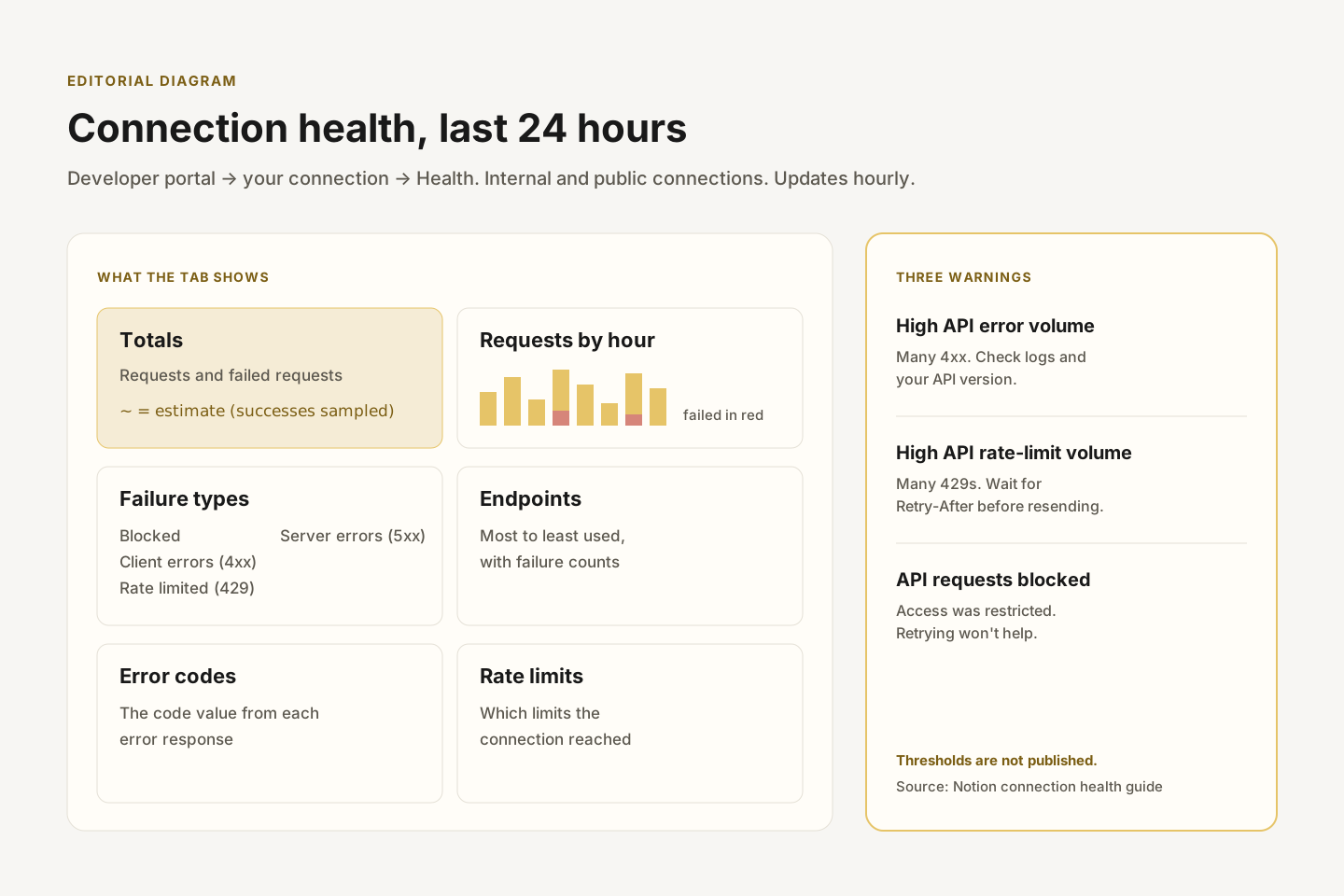
On October 26, 2026 Notion added a Health tab to every internal and public connection in its Developer portal. It shows the last 24 hours of API requests, which ones failed and why, and warns when a connection is blocked or getting many client errors or rate-limit responses. Notion has not said the tab is limited to any plan.
- Status
- Live
- Released
- Plans
- Not specified
What changed
Open a connection in the Developer portal and choose Health. The tab works for internal and public connections. For a public connection it covers requests from every workspace that installed it.
It covers the last 24 hours and refreshes hourly:
- Totals: requests and failed requests.
- Requests by hour: when the connection called the API and which calls failed.
- Endpoints: most to least used, with failure counts per endpoint.
- Failure types: blocked requests, client errors (4xx), rate-limit responses (429) and server errors (5xx).
- Error codes: the
codevalues returned in error responses. - Rate limits: which limits the connection hit.
Every failed request is counted, but only a sample of successful ones. Totals that include successes, and the failure percentage, are estimates marked with ~. Low-traffic connections may not have enough data for those estimates.
Three warnings can appear at the top of the connection and as an icon in the connection list: High API error volume detected, High API rate-limit volume detected, and API requests blocked. Notion does not publish the thresholds behind the first two.
Also in the October 26 update
- Pending suggested edits are no longer page text. Retrieving a page as Markdown, and
notion-fetchin Notion MCP, now return only accepted content. Markdown edits matchold_stragainst that same view, so an edit can no longer target an unaccepted suggestion. notion-fetchcan open connected-source results. See the update to the connector search entry.
Why it matters
Until now, debugging a Notion integration meant adding your own logging. Teams running agents, syncs or automations on the API can now see failures in one place.
- Rate limits: a run of 429s on one endpoint usually means a loop or sync needs to back off and respect
Retry-After. - Client errors: a spike after a deploy often points to an outdated API version or a changed property schema, such as the Status default_option change.
- Blocked requests: Notion says retrying will not help. The fix is on the access side, or through Notion support.
- Public connections: builders can see failures across every customer workspace without asking each customer for logs.
Frequently asked questions
Where do I see API errors for my Notion integration?
In the Developer portal, select the connection and open the Health tab. It shows the last 24 hours of requests, failures by type, endpoints and error codes. It was added on October 26, 2026.
How long does the Notion Developer portal keep API request history?
The Health tab shows the last 24 hours and updates hourly. Notion has not documented a longer history.
Why are some numbers on the Health tab marked with a tilde?
They are estimates. Notion counts every failed request but samples successful ones, so totals that include successes and the failure percentage are approximate.
What does "API requests blocked" mean in Notion?
It means API access for the connection was restricted. Notion says retrying won't help and to contact support if requests stay blocked.